Permit Application Process
Completing Table Grids
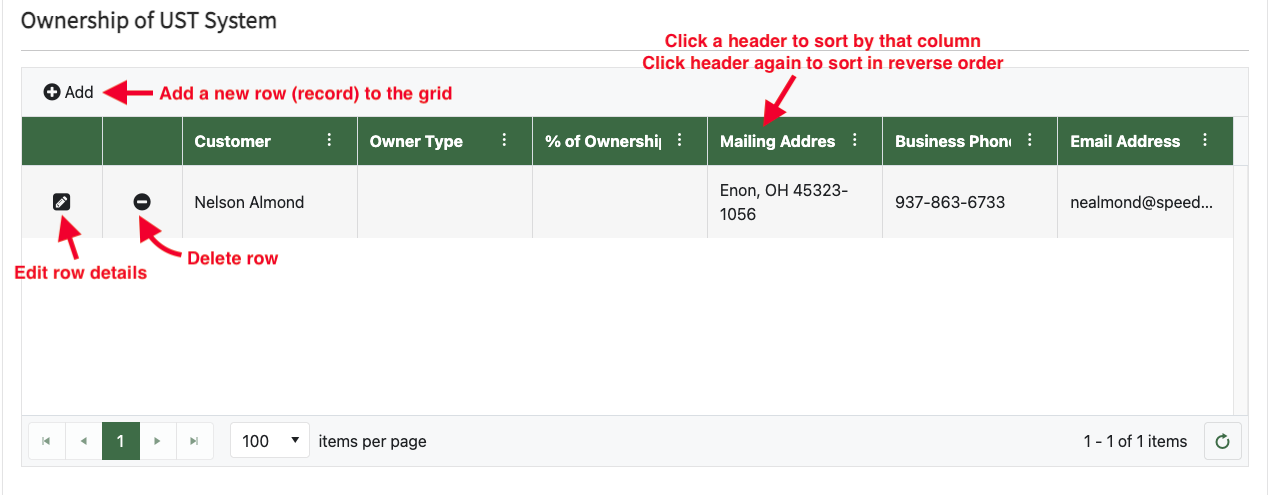
- When you see a table grid, it will normally appear blank (no rows). To add a row, click on the "+ Add" or "+ Add New" icon/text on the top left of the grid
- Click on the pencil icon to edit an existing row
- Click on the minus sign icon to delete an existing row
- Click on a header to sort by that column. Click again to sort in reverse by that column
- Click-hold/drag to resize a column from one of the column's edges
Tip: check out our how-to video on YouTube!
Screenshots