Permit Application Process
Finding Your Application
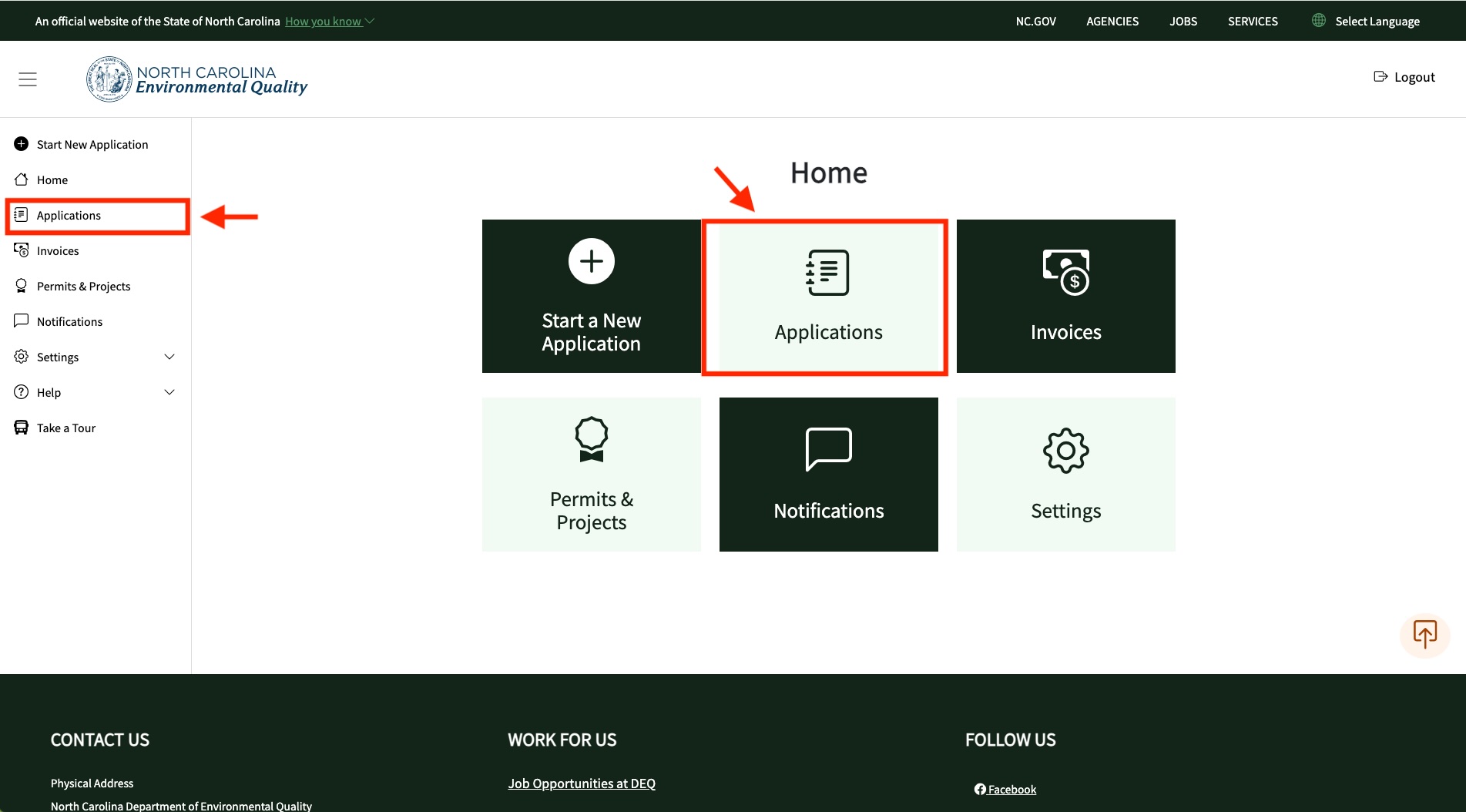
- From the Home screen, click on the "Applications" tile or menu item on the menu nav on the left side of the screen
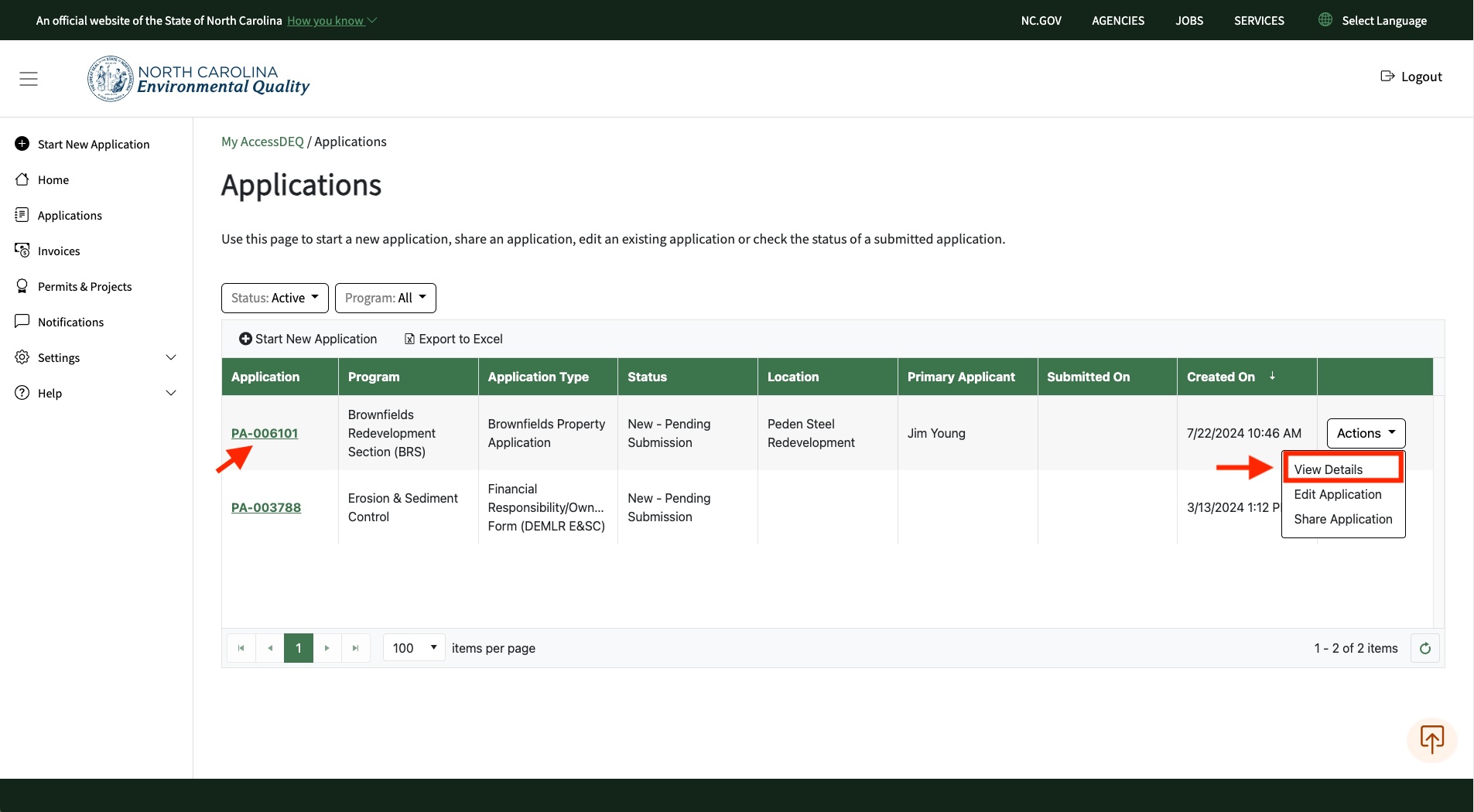
- On the far right of the table grid, you will see an "Actions" button. Click on this button and select "View Details"
- Click on "View Details" menu item from the "Actions" button
- You can also click on the application number hyperlink
Tip: check out our video on YouTube!
Screenshots