Permit Application Process
Sharing an Application
- Select “Applications” on the left-hand navigation menu or click the “Applications” tile on the Home page.
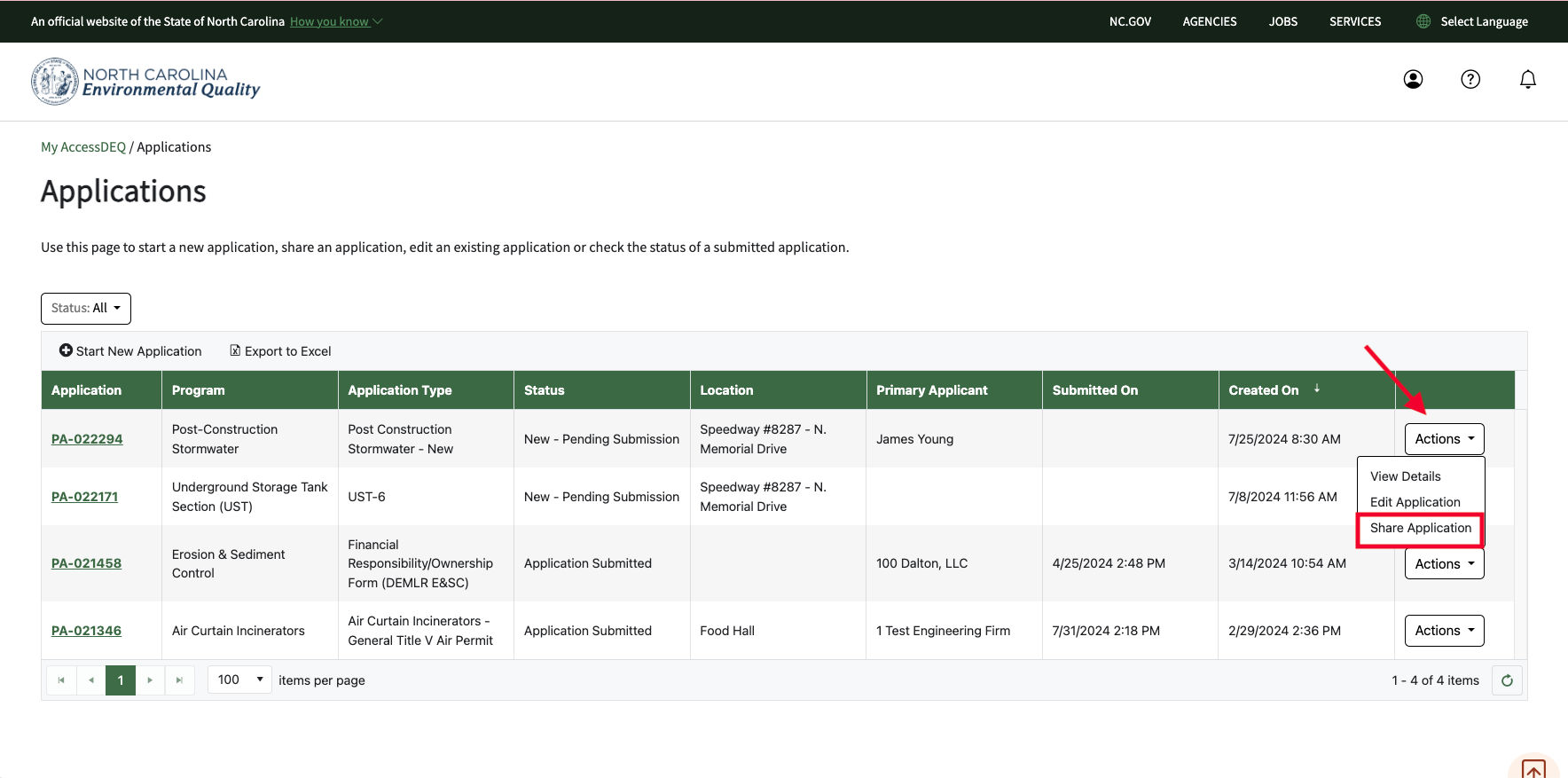
- Your permit applications will display in a table grid. On the far-right column for each row is the “Actions” menu
- Locate the permit application you wish to share. Click “Actions” to select the option “Share Application"
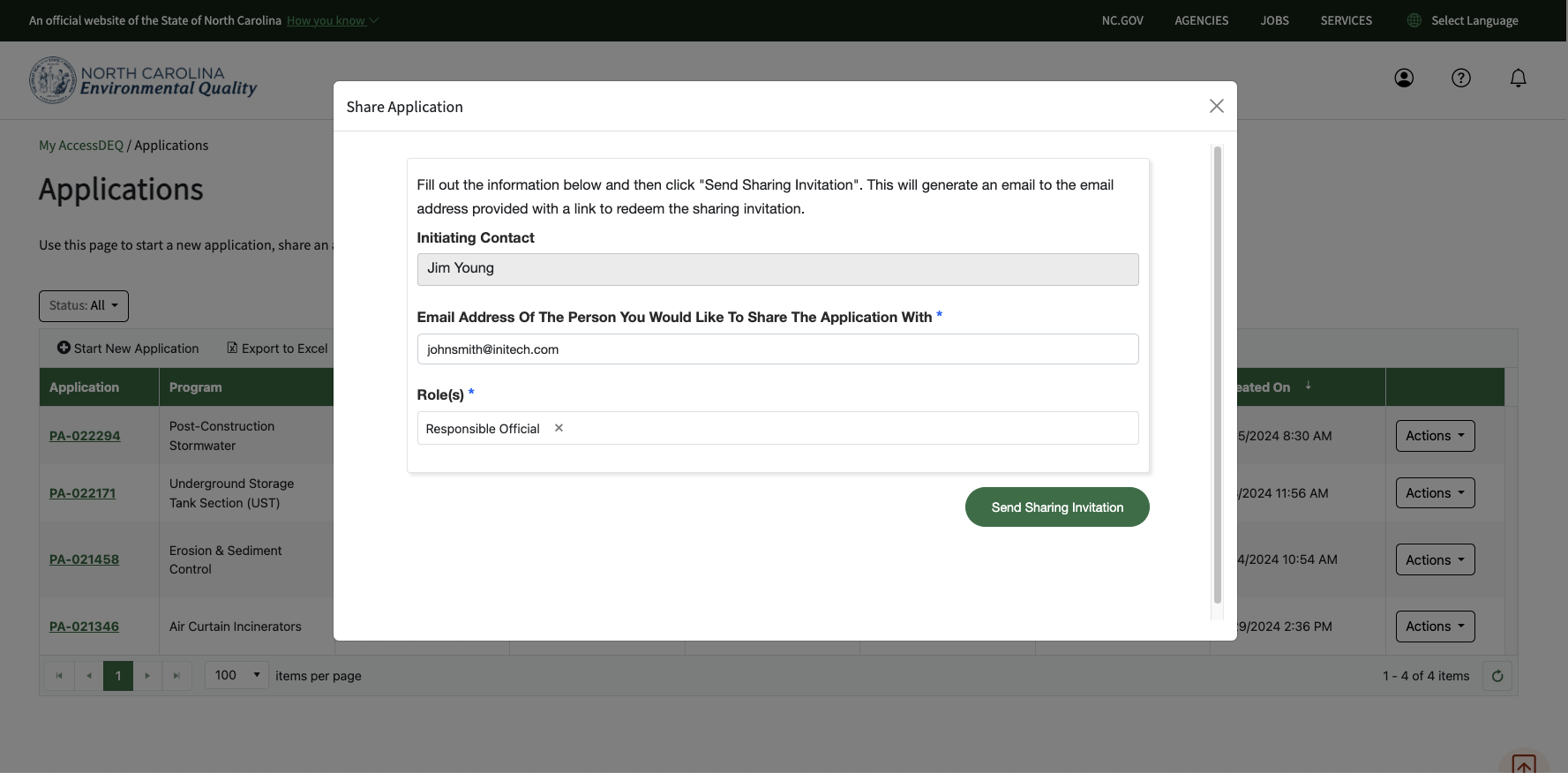
- Enter the email address of the person you would like to share the application with. This email address must match the one they signed up with/will sign up with for their AccessDEQ account.
- If the email entered for the share recipient does not match an AccessDEQ portal account, the sharing invitation will include a link to sign up.
- Select their role.
- Enter an optional note from you that will be included in the sharing invitation.
- Click on the "Send Sharing Invitation" button
Screenshots