Permit Application Process
Submitting a Notice of Termination
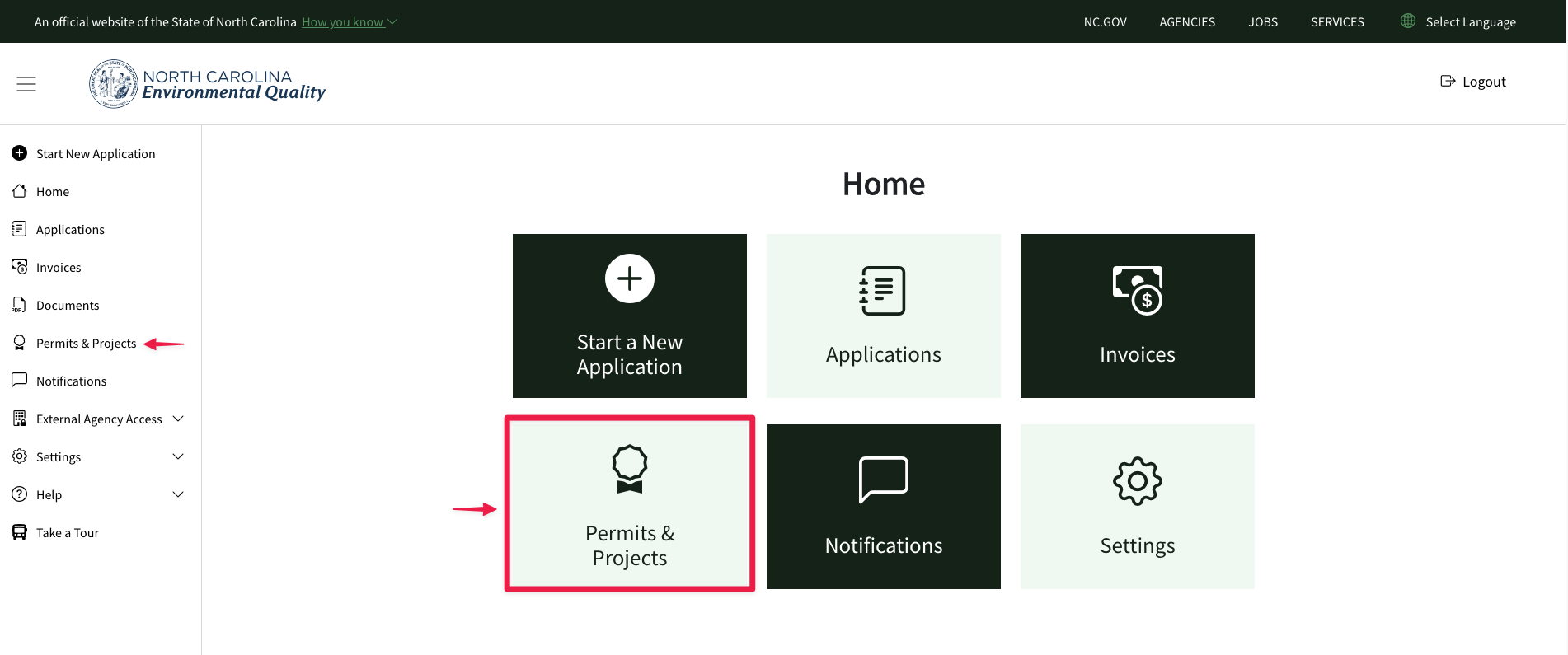
- From the Home screen, click on the "Permits & Projects" tile or menu item on the menu nav on the left side of the screen
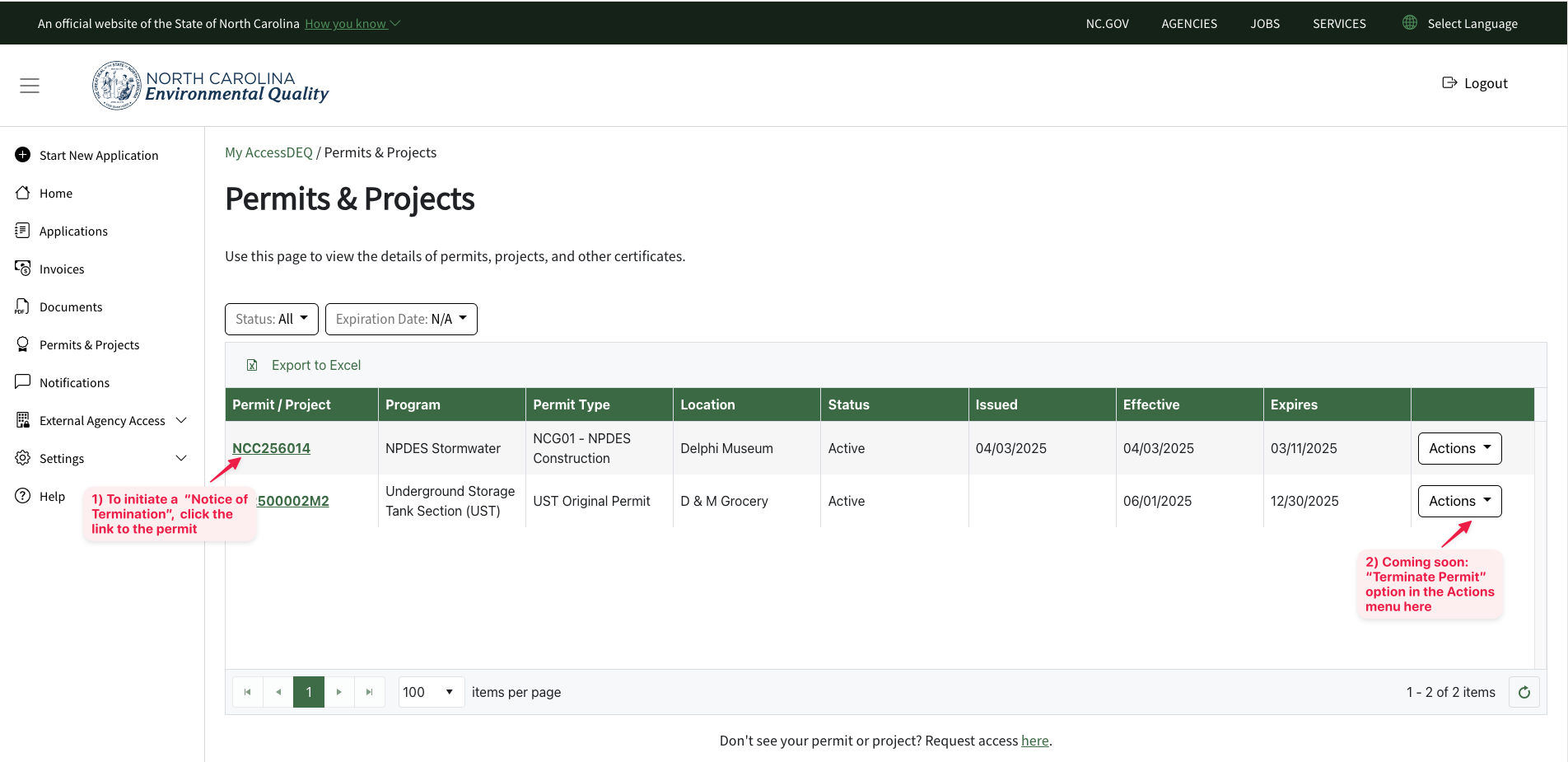
- Click on the hyperlink of the permit record you wish to terminate. This link is located on the far left of the table grid, usually in the permit # field.
- *** NOTE *** A future improvement to the portal will also provide a "Terminate Permit" action item under the "Actions" button on the far right. The date of this improvement is TBD. For now, you need to click into the permit record details to start the termination process.
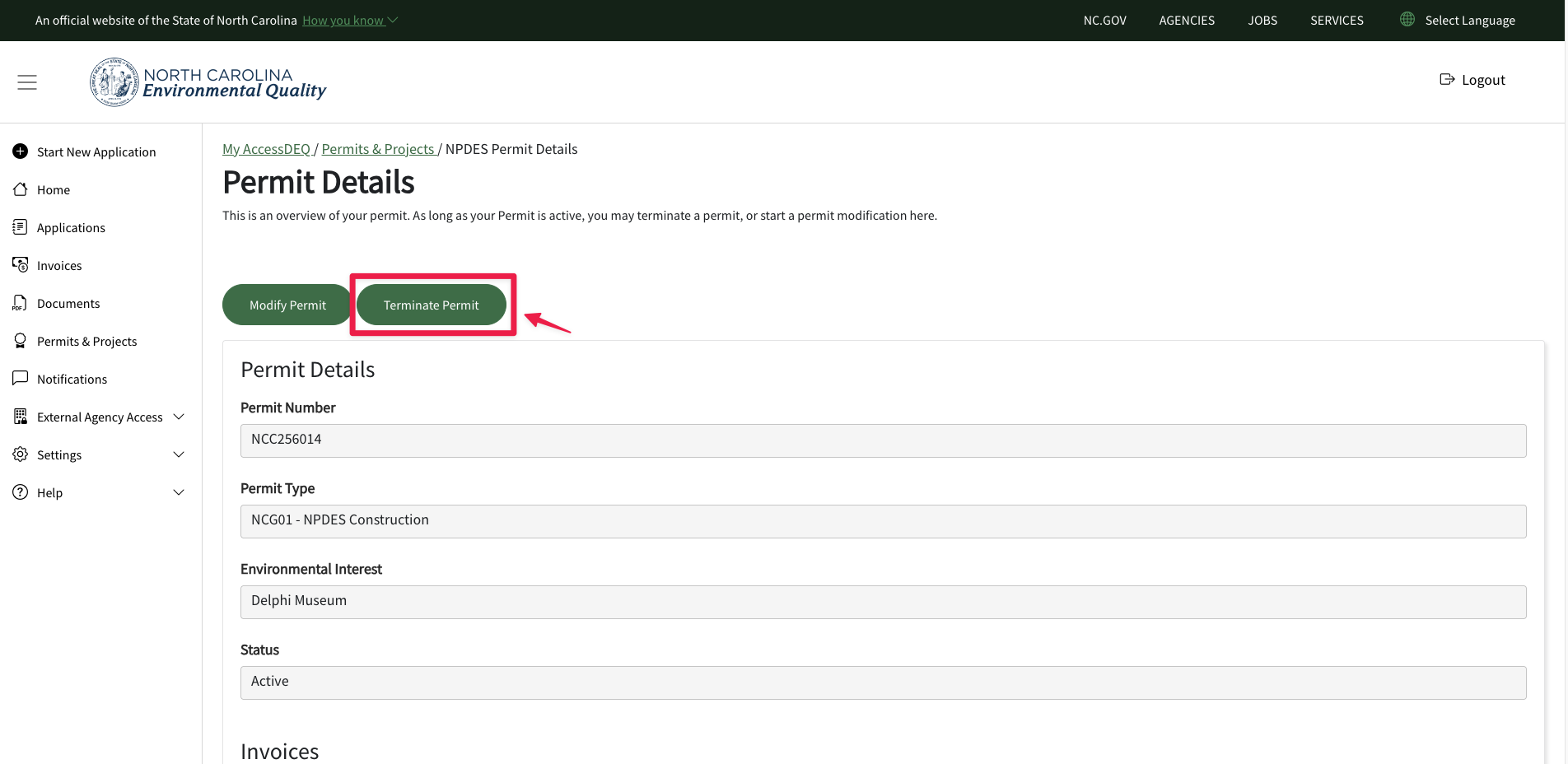
- Click on the green "Terminate Permit" button.
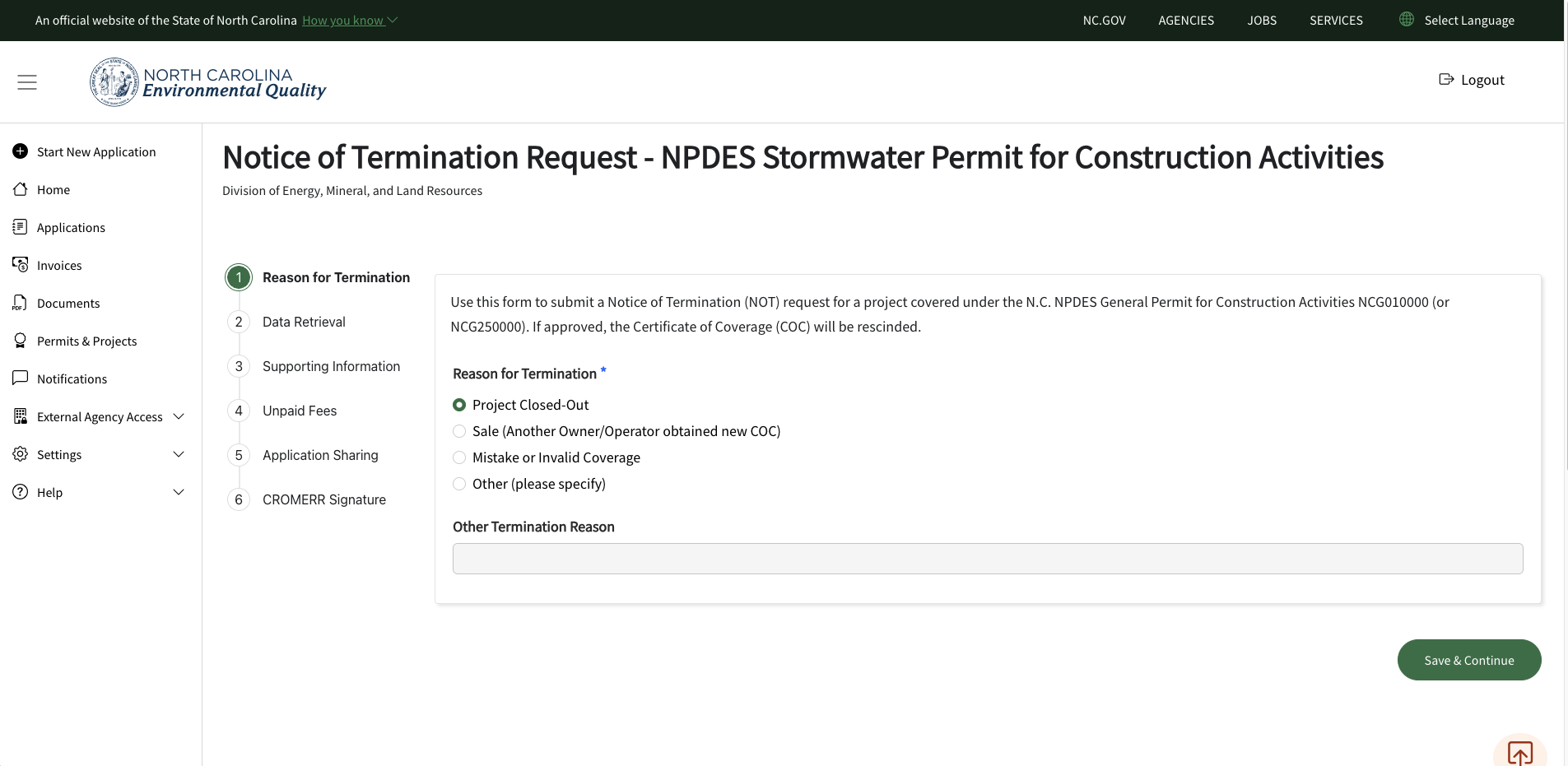
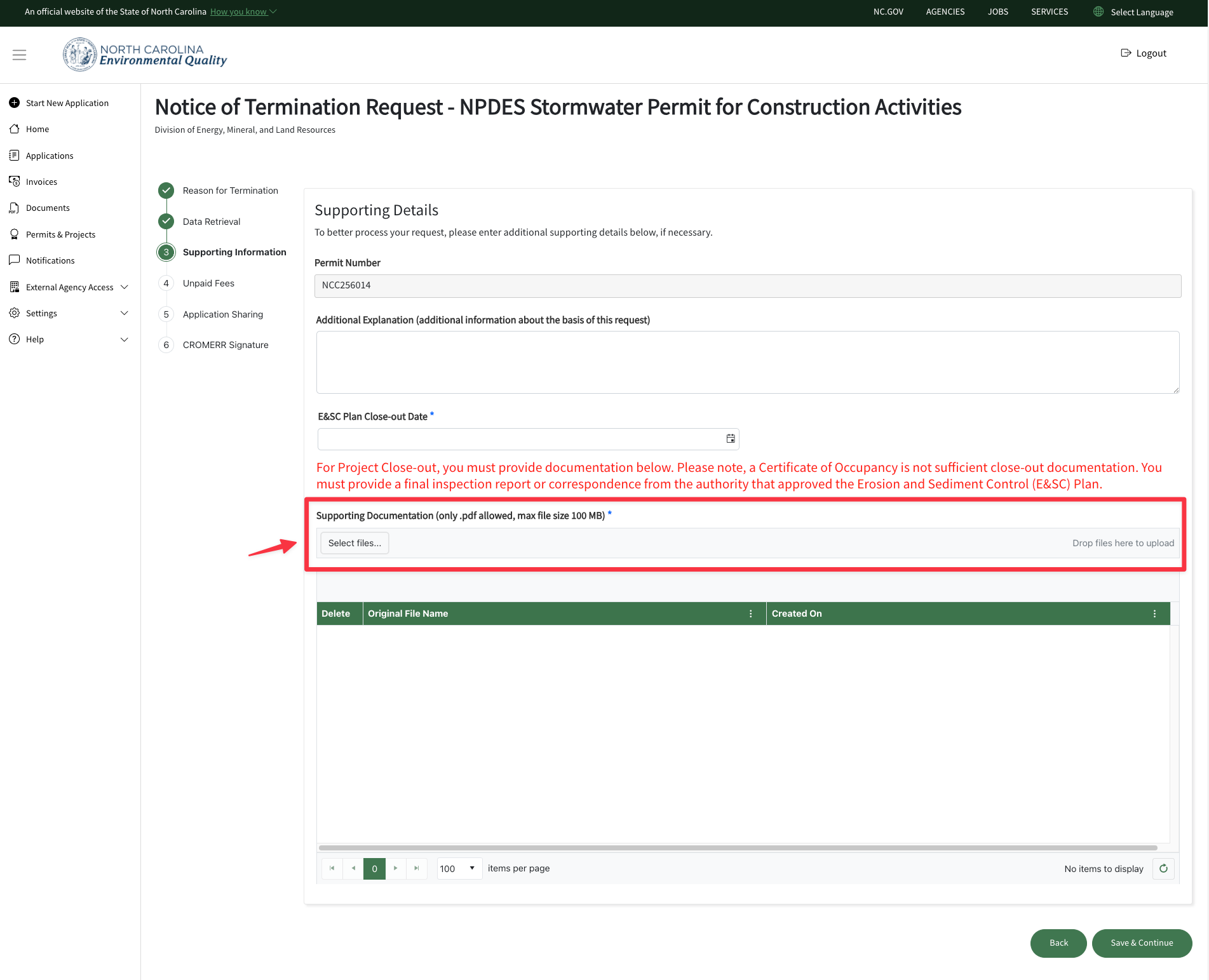
- Follow the 6 steps listed in the form stepper.
- *** IMPORTANT *** You will need to upload supporting documentation as described in the red text above the document upload button.
Notes
- After you submit a"Notice of Termination" request with the appropriate supporting documentation, internal DEQ staff will then begin the review process of the request.
- Termination is not immediate and may take some time, dependent upon staff workload/backlog.
- An email will be sent to you automatically once a decision is made on the notice of termination.
- If you start the NOT and don't submit it (but want to submit it later), you can find the NOT you started in the "Applications" tile, where you can then resume working on it/submit it.
Tip: check out our how-to video on YouTube!
Screenshots