Permit Application Process
Uploading Documents
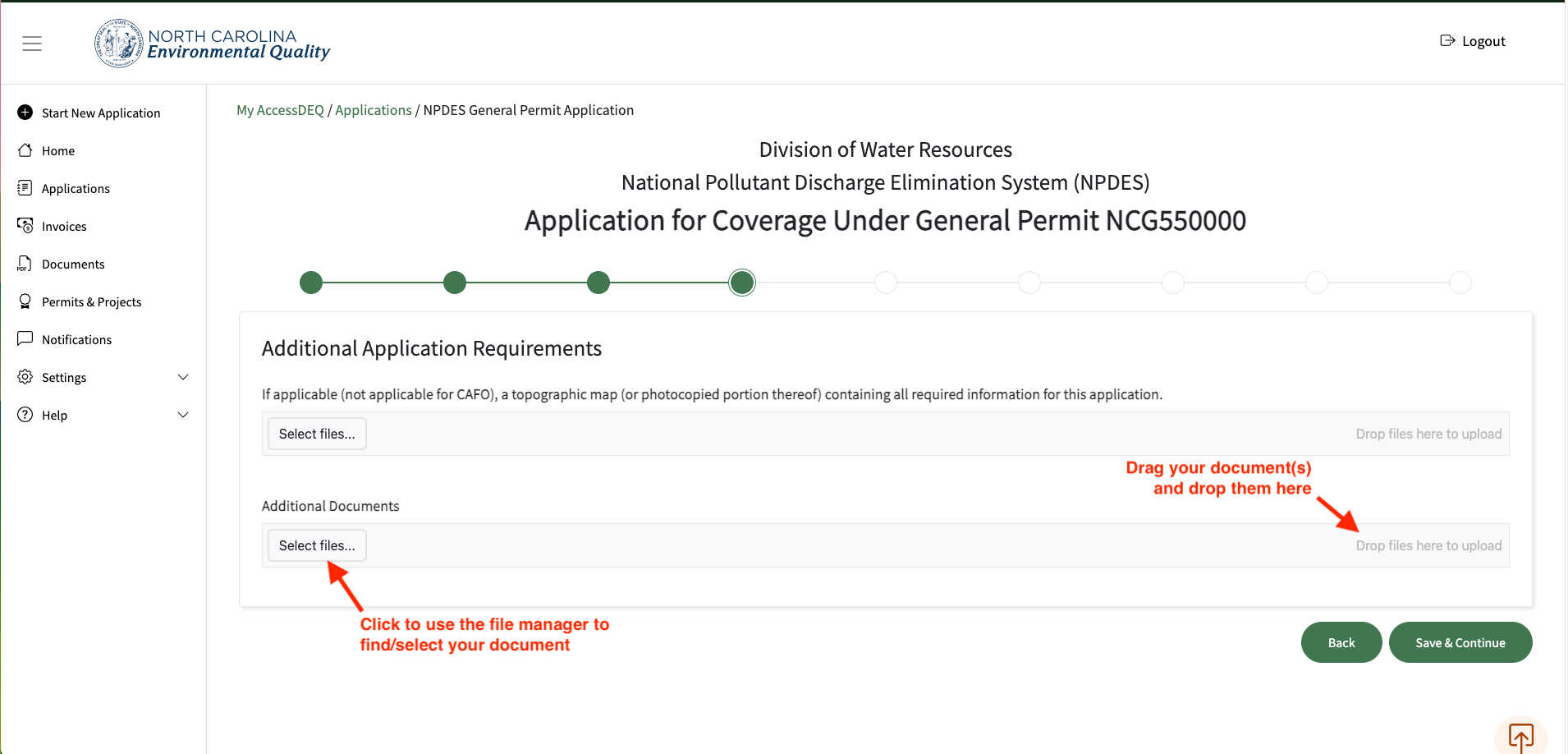
- When you encounter a document upload area within a permit application, you will see a button labeled "Select Files", inside of a light grey rectangle that also includes the words "Drop files here to upload" on the far right of the light grey rectangle.
- You can click the "Select Files" button to use the file explorer/manager of your computer to locate and select the file you wish to upload.
- You can also click on a file with your mouse, drag the document anywhere within the light grey rectangle, and release your mouse to initiate the upload.
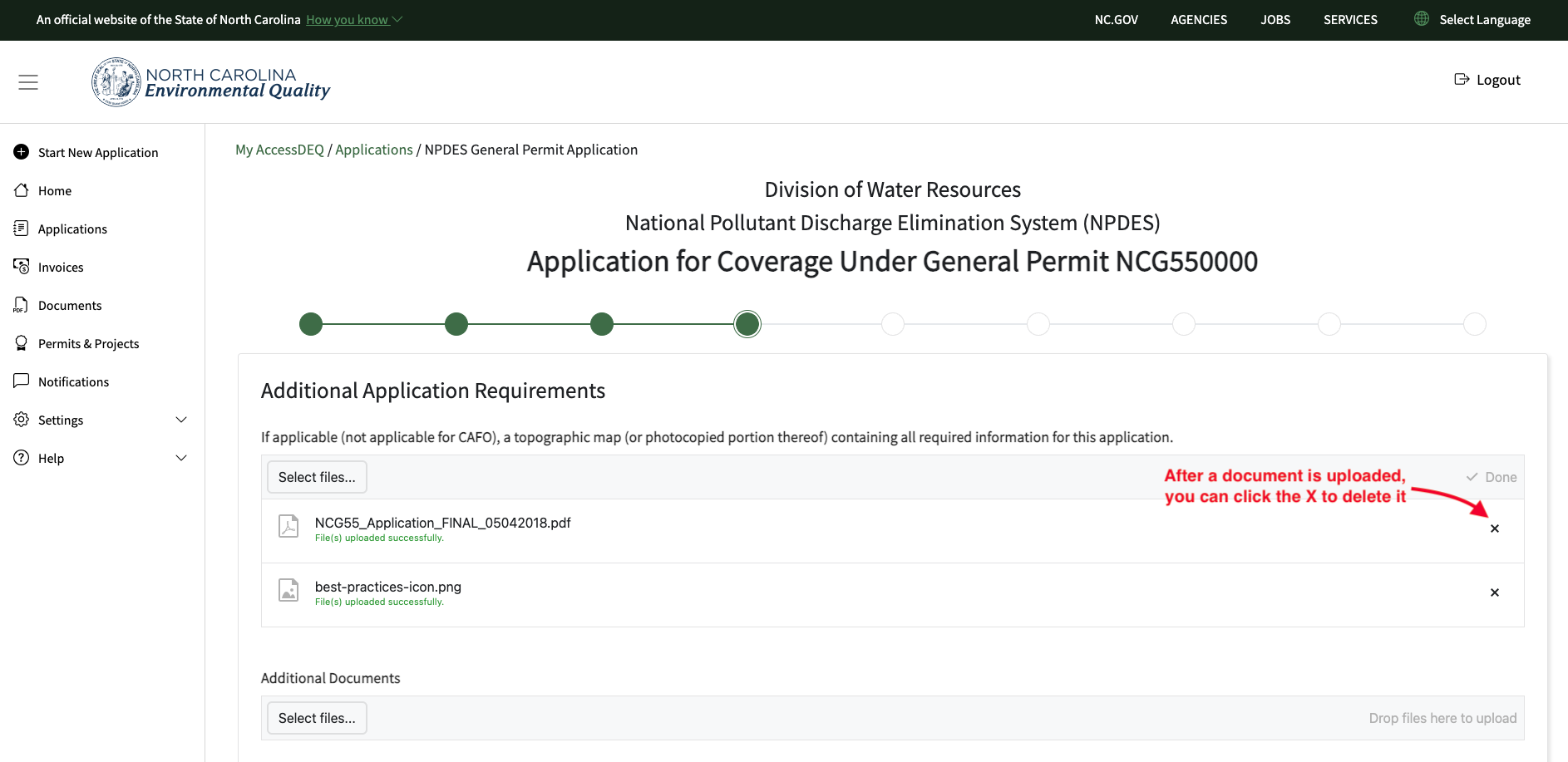
- If you accidentally uploaded the wrong file, you can click on the "X" to the far right of the file to delete it.
Notes
- Depending on the permit application you are working in, the document upload feature might allow either a single file or multiple files to be uploaded into the corresponding field.
- Some document upload fields are required, meaning that you will have to upload a document into that field before you can proceed with the application.
Tip: check out our how-to video on YouTube!
Screenshots