Skip to main content
How to Register with the Portal
- Go to the AccessDEQ portal, located at https://www.deq.nc.gov/accessdeq, scroll down, and click on the Erosion and Sediment Control Applications block
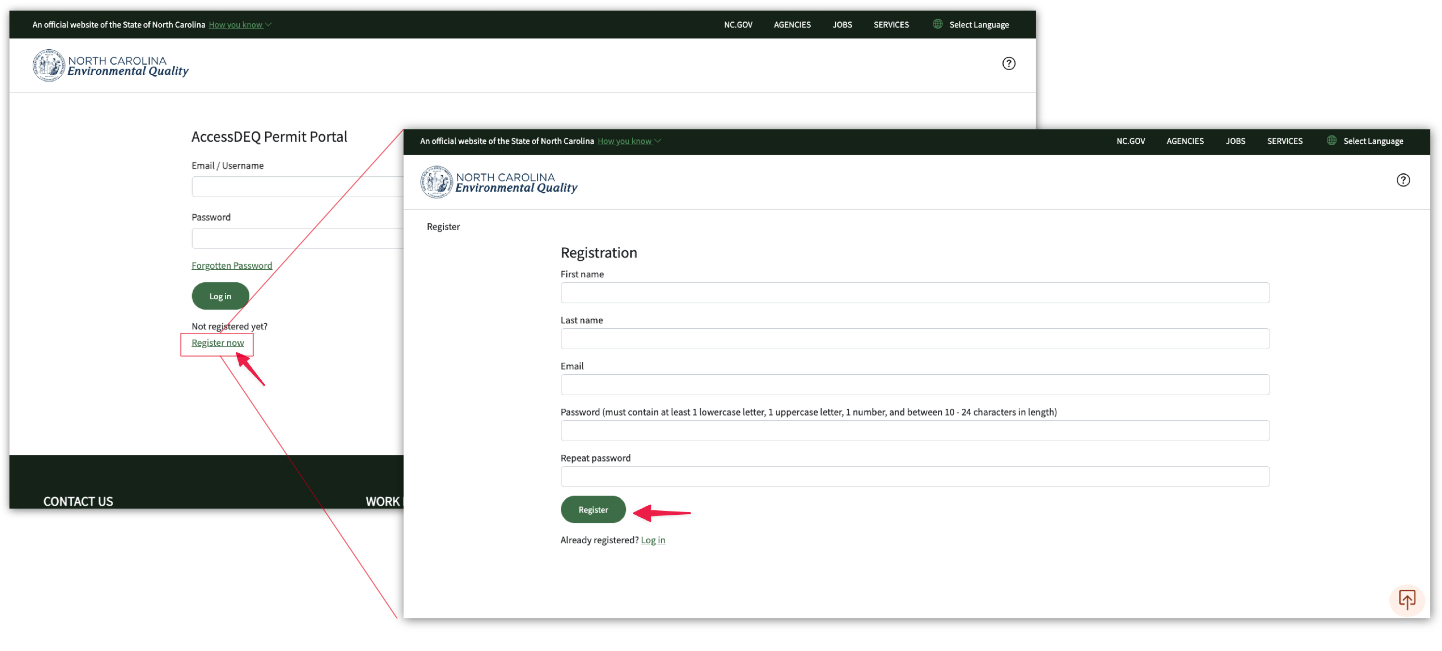
- Next, click on the register link, and fill out your name, email, and password
- You will need to enter your password twice
- After entering your information, click on the register button
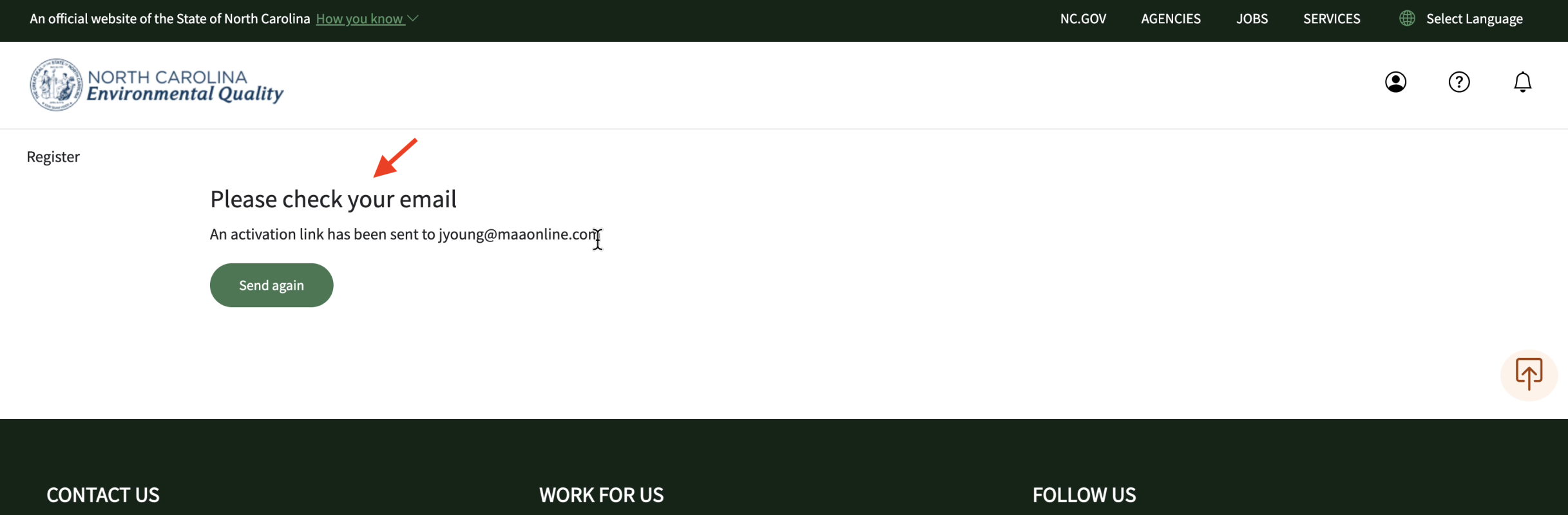
- The system will then send an email to your email address
- Now check your email inbox
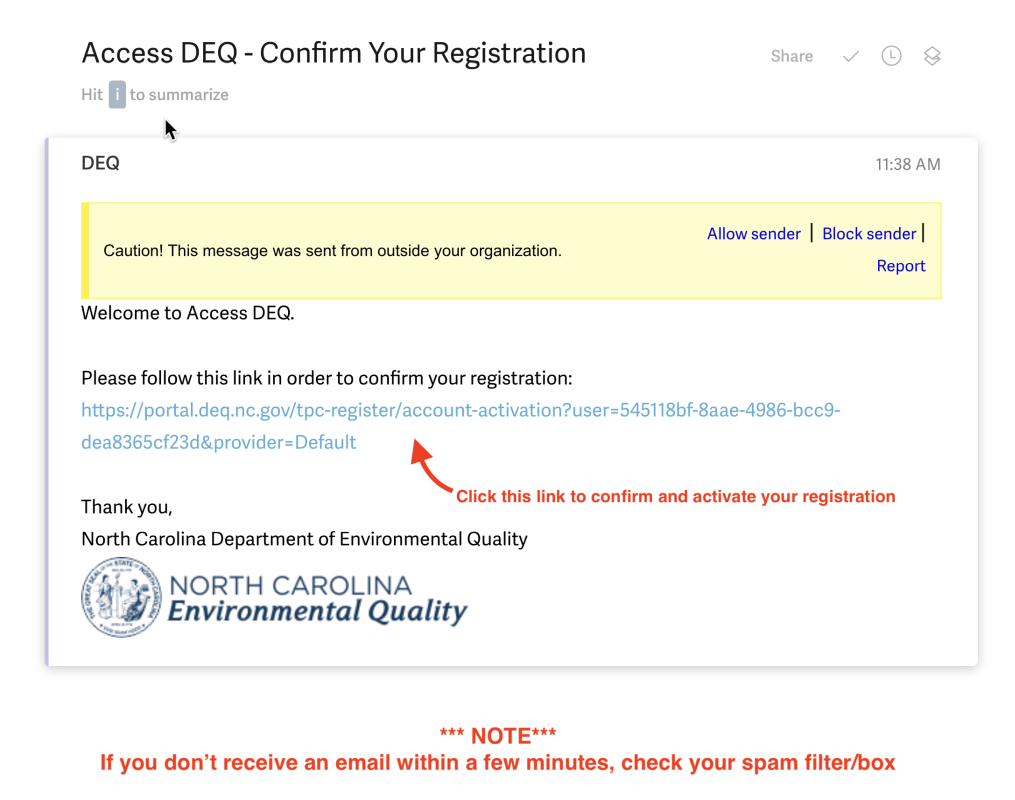
- Click the link in the body of the email to confirm your registration with the portal
- You can now log into the system using your newly created AccessDEQ portal account
Screenshots