Skip to main content
Security Questions
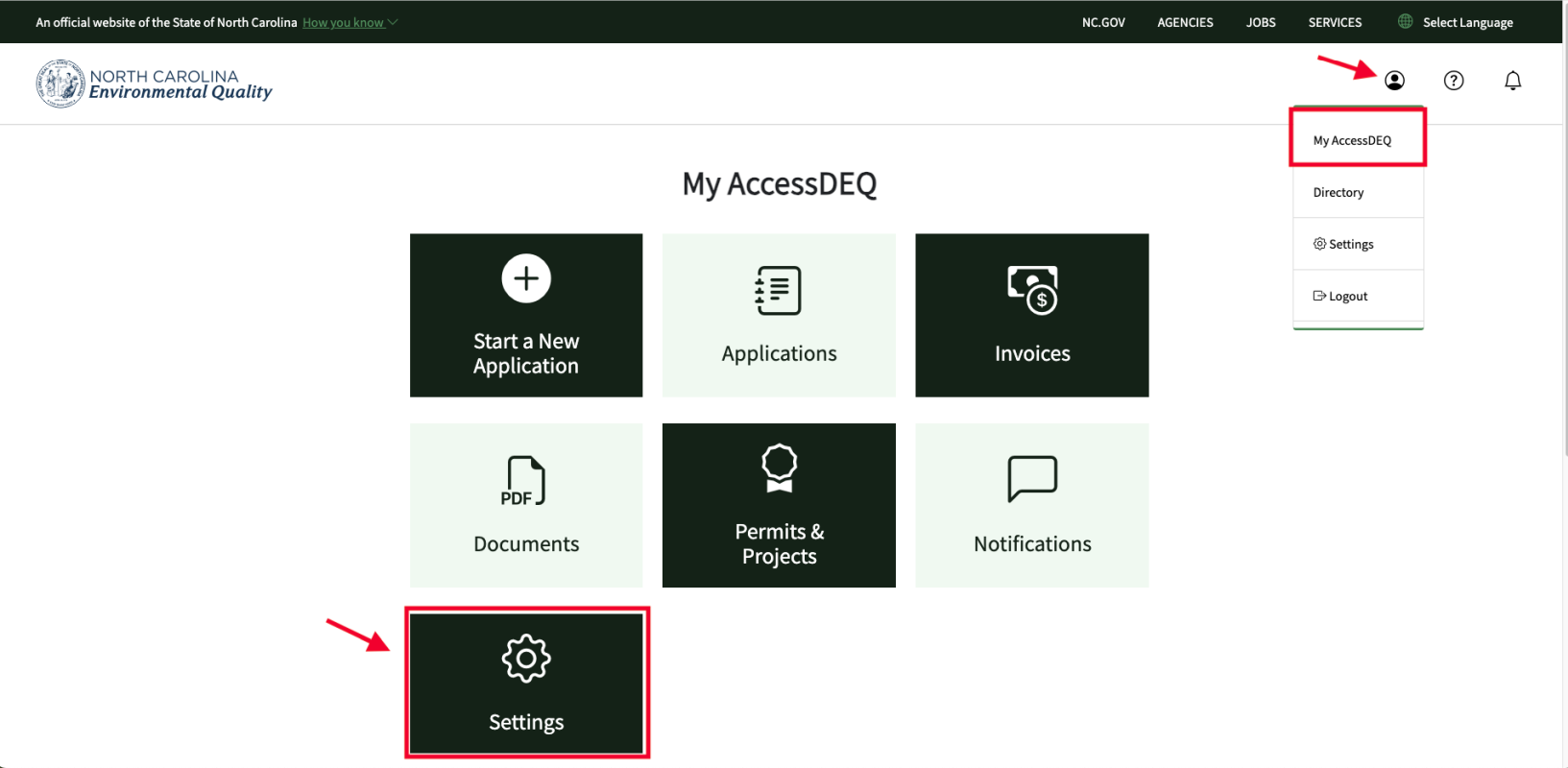
- After logging into the external portal, click on the person icon (dropdown menu) on the top right of the screen and select “My AccessDEQ”
- Click on the “Settings” tile
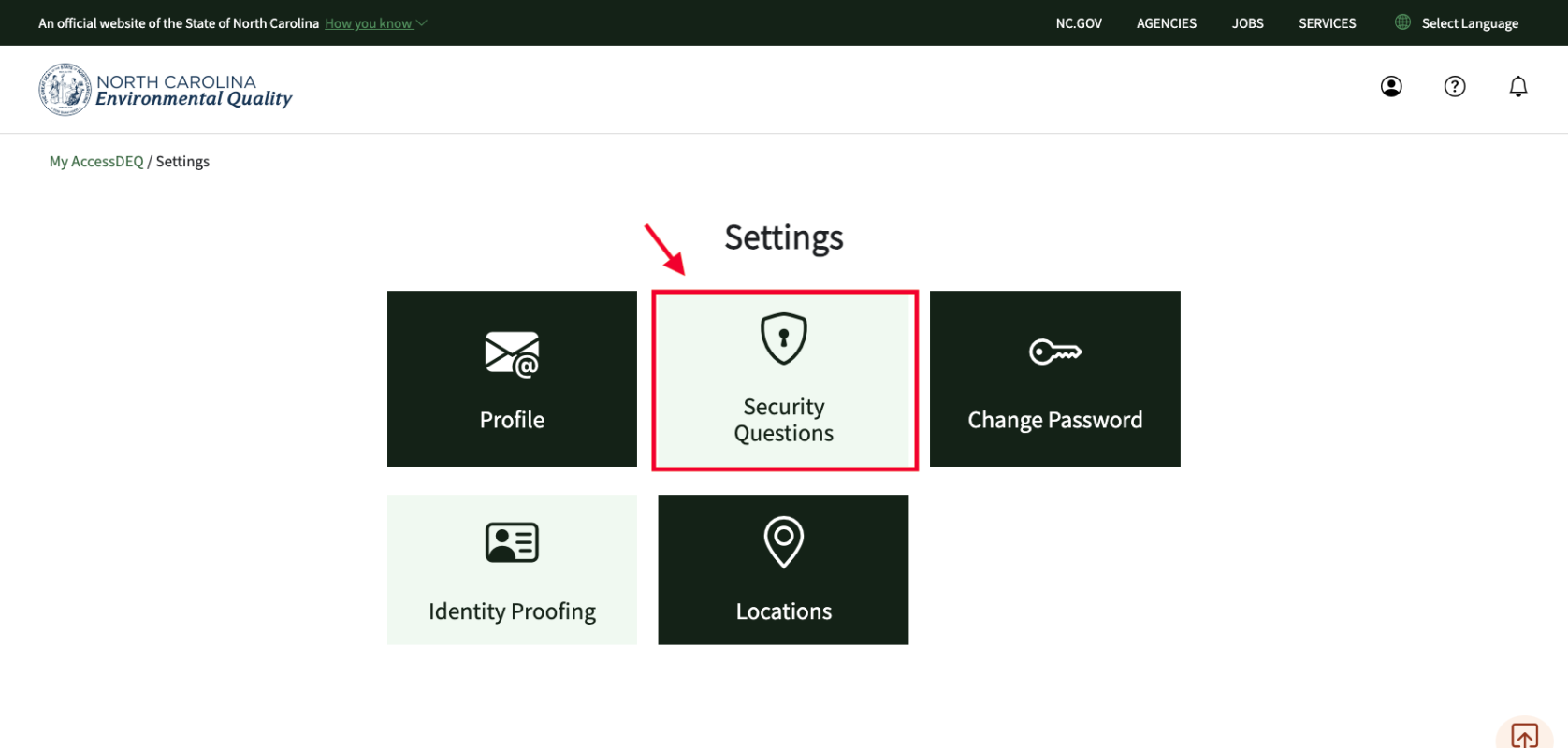
- Click on the “Security Questions” tile
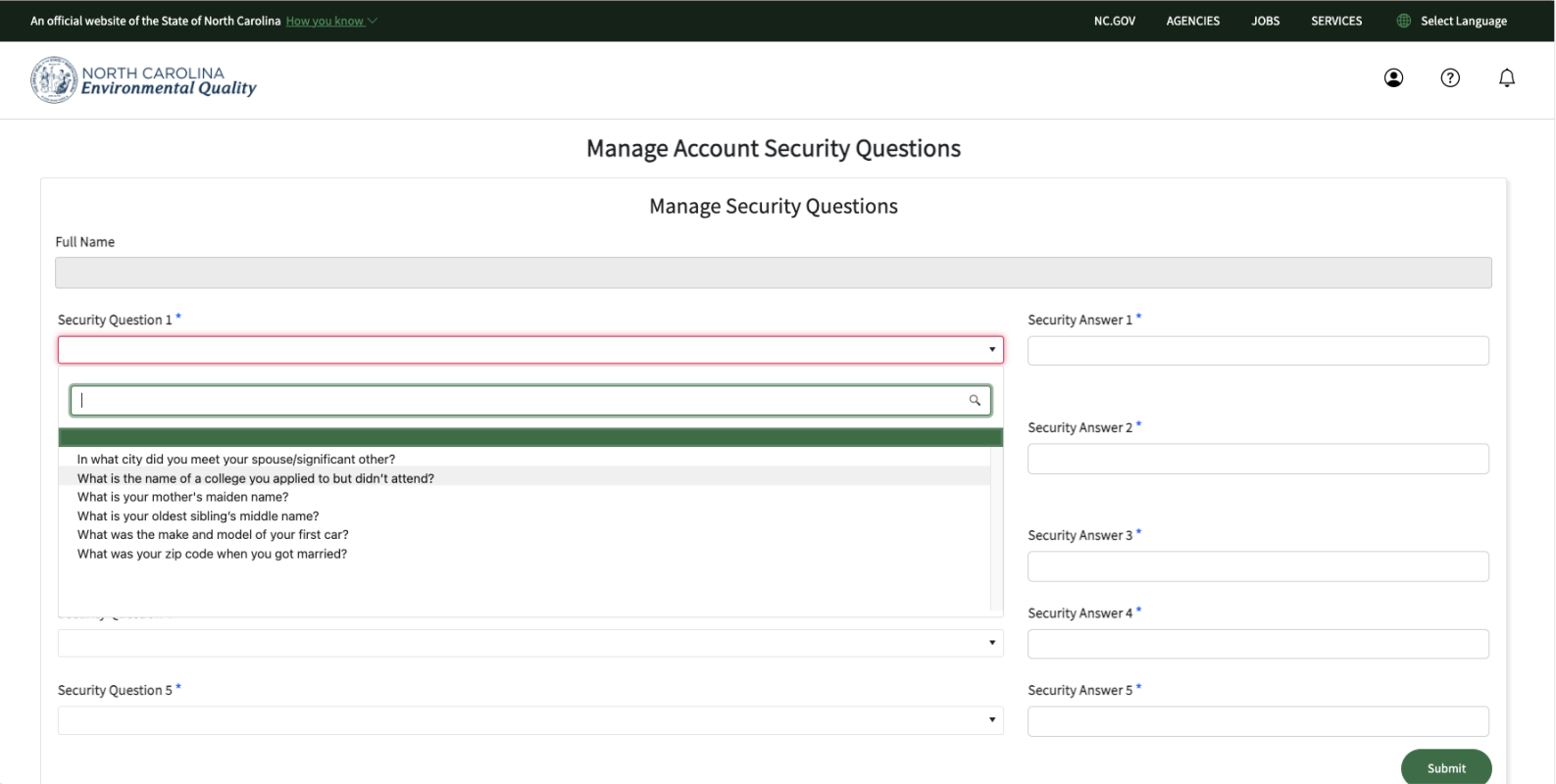
- Select a question from each of the 5 listboxes, and enter your answer
- Repeat this for all 5 questions
- When done, click on the green “Submit” button on the bottom right of the screen
Notes
- You might want to write your answers down somewhere secure
- Answers are case-sensitive
- Make sure you don't enter a leading or trailing space in your answers
Screenshots