Troubleshooting
Allow AccessDEQ Popups and Redirects
Many of the screens in AccessDEQ are popup (interim) screens intended to request additional information specific to a particular field on the form. If your browser is actively blocking popups, these necessary windows won't appear on your browser, which will make it challenging to complete your permit application.
Therefore, we recommend that you enable popups in your browser for AccessDEQ.
Steps for Chrome and Edge Browsers
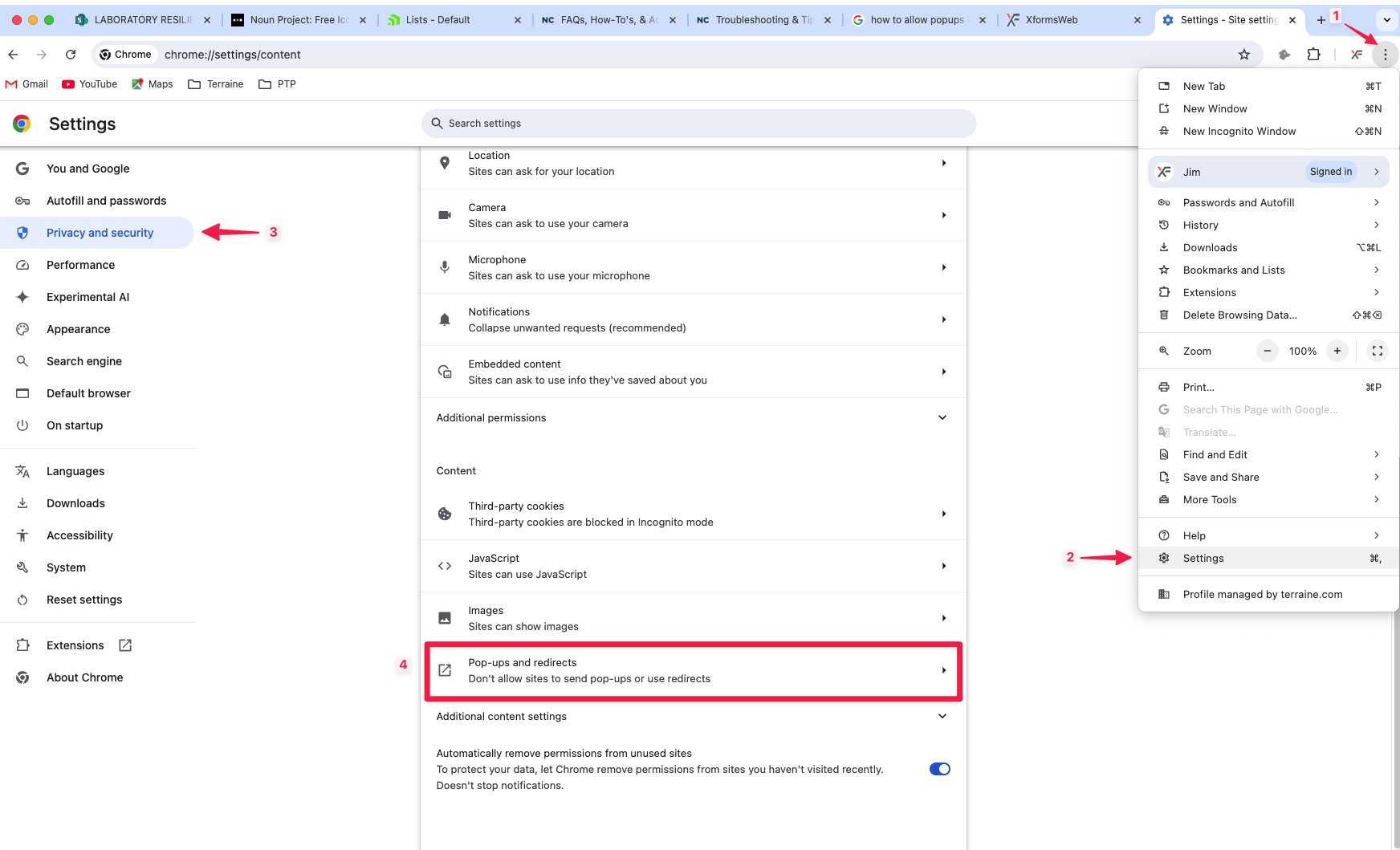
- Click on the vertical ellipsis (3 dots) on the top right of the screen
- Click Settings
- Click Privacy and security
- Click Site settings
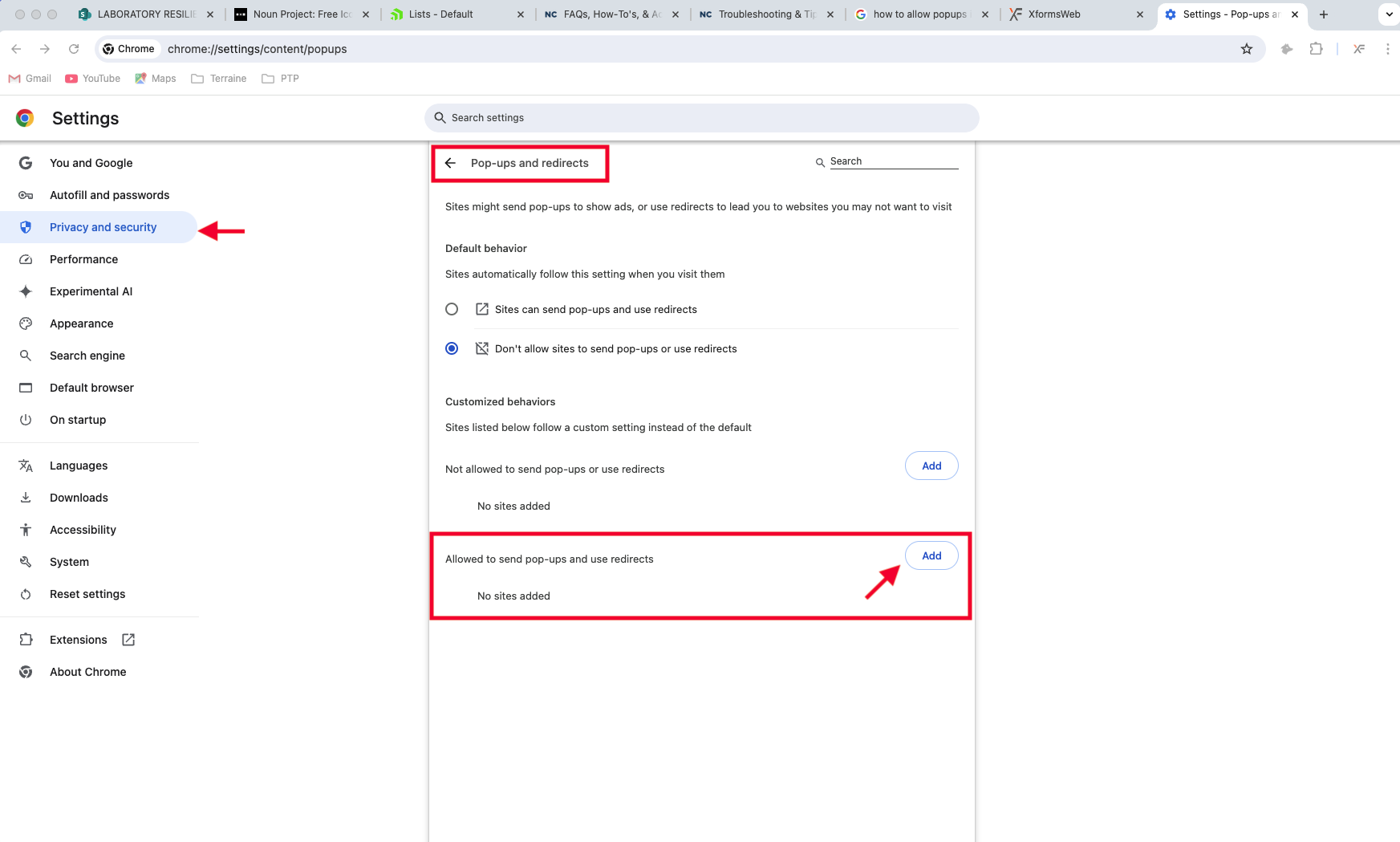
- Click Pop-ups and redirects
- Select "Sites can send pop-ups and use redirects" to enable pop-ups for a specific website
- Click on the "Add" button
- Enter the following into the site address field: [*.]deq.nc.gov
- Note: the [*.] denotes a wildcard value preceding the root domain of the website, so that any website URL with a root domain of deq.nc.gov will be allowed to send a popup
- You can also allow pop-ups for a specific site by doing the following:
- go to a page where pop-ups are blocked
- Click Pop-up blocked in the address bar
- Click the link for the pop-up you want to check
- Select Always allow pop-ups and redirects from [site]
Screenshots